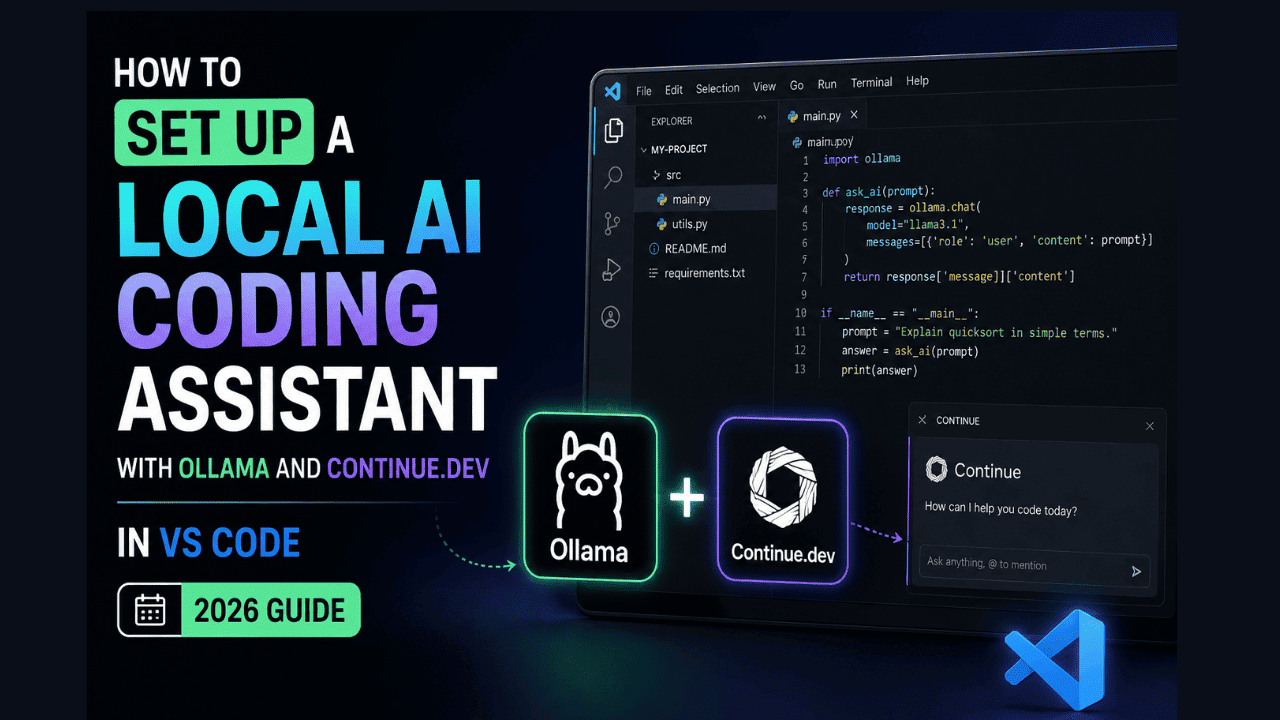
How to Set Up a Local AI Coding Assistant with Ollama and Continue.dev in VS Code (2026 Guide)

Imagine having a powerful AI pair programmer that never sends your code to the cloud, works completely offline, and costs nothing to run. With the mature ecosystem of local large language models (LLMs) and the right tools, this isn’t just a fantasy; it’s a reality in 2026. In this step-by-step guide, I’ll show you how to build a fully private, local AI coding assistant using Ollama and Continue.dev inside Visual Studio Code. By the end, you’ll have an intelligent autocomplete, chat, and refactoring companion running 100% on your machine. No API keys, no data leaks, no subscription fees. Why a Local AI Coding Assistant in 2026? Cloud-based coding assistants like GitHub Copilot and ChatGPT have undeniable convenience, but they come with serious trade-offs: recurring costs, dependency on internet connectivity, and most critically your source code is processed on external servers. For many developers, especially those in finance, healthcare, or working on proprietary projects, that’s a dealbreaker. Local LLMs have exploded in capability. Models like DeepSeek-Coder-V2, Code Llama 3, and Codestral can now rival cloud models in code understanding and generation, all while running on consumer GPUs. When paired with the right integration, you get a fast, privacy-respecting assistant that lives entirely within your editor. What Are Ollama and Continue.dev? Ollama is an open-source tool that lets you run LLMs locally with a single command. It handles model downloading, quantization, and provides a simple API—ideal for stitching into other tools. Continue.dev is an open-source VS Code (and JetBrains) extension that connects your editor to any LLM—cloud or local. It’s designed to be model-agnostic, so you can plug in Ollama models for both chat and autocomplete with minimal configuration. Together, they form the perfect stack for a local AI coding assistant. Prerequisites Before we start, make sure you have the following: Step 1: Install Continue.dev Extension in VS Code Open VS Code, go to the Extensions view (Ctrl+Shift+X / Cmd+Shift+X), and search for Continue. Install the extension by Continue Development, Inc. (the open-source one). Once installed, you’ll see a new sidebar icon (the Continue logo). After installation, you may need to reload VS Code. Step 2: Configure Continue to Use Ollama The magic happens in Continue’s configuration file. Open the VS Code Command Palette (Ctrl+Shift+P / Cmd+Shift+P) and run: This opens ~/.continue/config.json (or config.ts if you use TypeScript). We’ll edit the JSON to connect to your locally running Ollama instance. Replace or add the following inside the “models” array. Here’s a minimal setup that uses deepseek-coder-v2 for both chat and autocomplete: Explanation: Important: Save the config file (Ctrl+S). Continue will automatically reload the configuration. Step 3: Start Ollama and Test the Connection Make sure Ollama is running in the background. On most systems, it runs as a service after installation. You can test it by visiting http://localhost:11434 in your browser—you should see the message Ollama is running. Now, inside VS Code, open the Continue sidebar (the chat panel). You should see the model “DeepSeek-Coder-V2 (Local)” listed at the top. Type a simple query like: “Write a Python function to check if a string is a palindrome.” If everything is working, the model will respond with code and an explanation, all generated locally. Step 4: Using Autocomplete With tabAutocompleteModel configured, inline completions will automatically appear as you type in any file. By default, they show up in a ghost text style, and you can press Tab to accept. If you find the suggestions too frequent or too slow, tweak the “tabAutocompleteOptions” in your config: delay is the milliseconds after you stop typing before the suggestion appears—increase it if you’re on a slower machine. maxTokens limits the length of completions, preventing overly long, slow responses. Step 5: Advanced Configuration – Separate Models for Chat and Completion For a more refined setup, you can assign a larger, more capable model for chat (where you need detailed explanations) and a smaller, snappier model for autocomplete. Here’s a recommended pairing: With codellama:13b for deep chat discussions and codegemma:2b for lightning-fast inline suggestions, you’ll get the best of both worlds. Experiment with models from the Ollama library to find your sweet spot. Step 6: Optimizing Performance Running LLMs locally can be resource-intensive. Here’s how to keep things snappy: Step 7: Going Beyond Code – Custom Slash Commands Continue supports slash commands that let you perform actions like /edit, /comment, /test directly from the chat. You can even define custom commands. For example, create a command that asks the local model to explain a highlighted block of code in simple terms: This can dramatically speed up code review and learning, all done locally. Troubleshooting Common Issues “Model not found” error in ContinueCheck that you’ve actually pulled the model with ollama list. Also, ensure the model field in config matches exactly (including tag if any, like deepseek-coder-v2:latest). “Failed to connect to localhost:11434”Ollama may not be running. Restart it with ollama serve (or check your system service). If you’re using WSL2 on Windows, make sure you’ve exposed the port correctly. Autocomplete is too slow or laggySwitch to a smaller model for tabAutocompleteModel, increase delay, or reduce maxPromptTokens. Also, confirm GPU acceleration is active by looking at GPU utilization while it’s generating. Insufficient memory errorsTry a smaller quantization or a model with fewer parameters. codegemma:2b runs well even on 8GB RAM without a GPU. Why This Setup Beats Cloud-Based Assistants Conclusion In 2026, there’s no reason to compromise your privacy for AI-powered coding. With Ollama and Continue.dev, you can spin up a sophisticated, local AI coding assistant in less than 15 minutes. The models are smarter, the tooling is seamless, and the performance is better than ever. Start with deepseek-coder-v2, experiment with different configurations, and enjoy a coding companion that’s truly your own. If you run into any snags, the vibrant communities of both projects are just a GitHub issue away. Happy coding—offline and fully private.

GLM-5.2: Built for Long-Horizon Tasks (And Why It Matters)

glm-5-2-long-horizon-tasks-ai

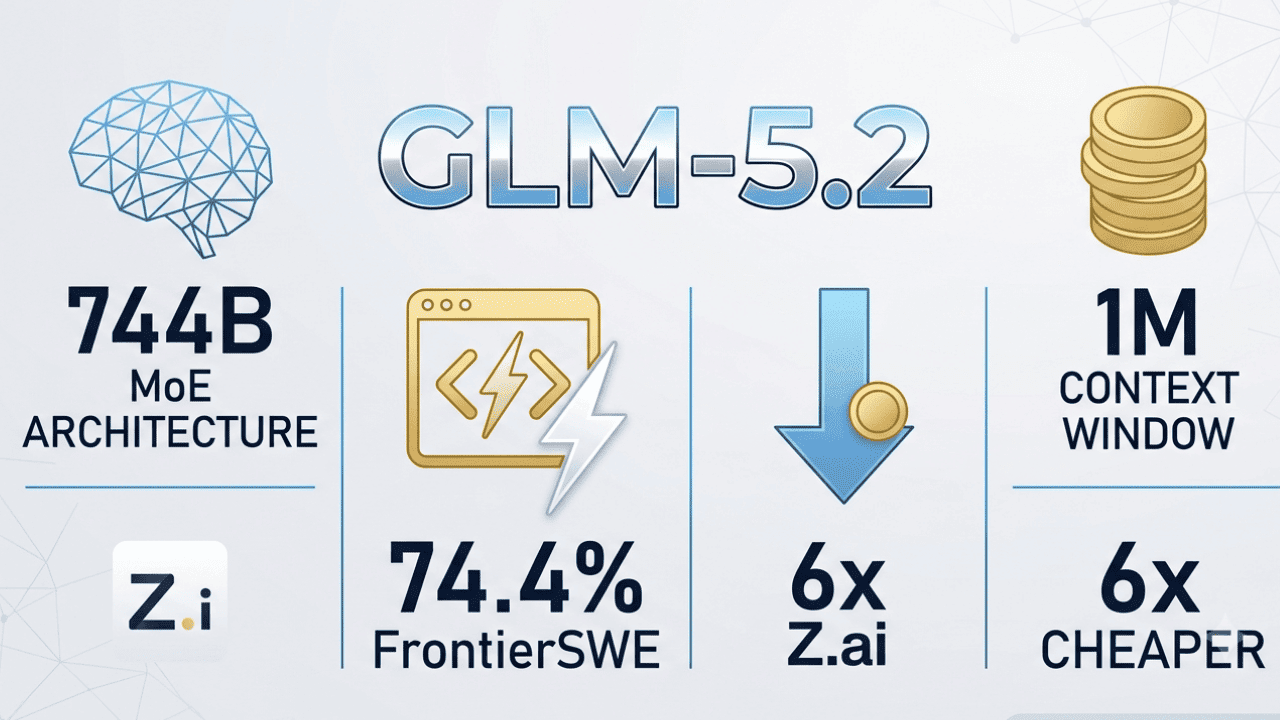
Let’s be completely honest for a second. Most AI models today have the attention span of a goldfish. You can ask them to write a quick email or summarize a short webpage, and they do a great job. But what happens when you ask an AI to plan a six-month marketing strategy, write a piece of enterprise software, or conduct deep, multi-stage academic research? They get lost. They forget your original instructions halfway through. Sometimes, they just start making things up to cover up the fact that they lost the thread. That is exactly the problem the newest iterations of General Language Models are trying to solve. Enter GLM-5.2. If you are tired of babysitting your AI tools, you need to understand what this model is doing differently. GLM-5.2 isn’t just another incremental update meant to make chatbots a little faster. It is specifically built for long-horizon tasks. But what does that actually mean, and why should you care? The Problem with Short Attention Spans To understand why GLM-5.2 is a big deal, we have to talk about how we currently use AI. Most of what we do with standard chatbots falls under the category of short-horizon tasks. You ask for a recipe, a joke, or a blog post outline. The AI pulls from its training data, generates a response, and the interaction is over. But real work isn’t like that. Real work is messy and complex. A long-horizon task is a multi-step objective that requires sustained reasoning over time. Imagine asking an AI to read a massive financial report, identify hidden market trends, draft a comprehensive strategy document based on those trends, review its own draft for logical inconsistencies, and format the final output for a corporate presentation. To do this successfully, an AI can’t just have a good memory. It needs something closer to executive function. It needs to keep the ultimate goal in mind while executing dozens of micro-steps without losing the plot. Historically, large language models have failed spectacularly at this because of something called context decay. The further along a conversation gets, the more the AI’s intelligence degrades. It starts taking shortcuts and ignoring earlier instructions. How GLM-5.2 Tackles Long-Horizon Reasoning GLM-5.2 represents a fundamental shift in how these models are architected. Instead of focusing purely on being a snappy, conversational assistant, the developers decided to tackle the hardest problem in artificial intelligence: sustained, complex reasoning. The model does this by making context highly usable. Having a massive context window—meaning the AI can ingest a lot of text at once—is like having a giant desk. But if your desk is completely covered in clutter, you still can’t find what you need. GLM-5.2 uses advanced attention mechanisms to actually retrieve and weigh the importance of information buried deep within massive datasets. It doesn’t just read a whole codebase; it remembers how the code at line ten affects the logic at line ten thousand. Beyond just memory, GLM-5.2 is built with agentic workflows in mind. This means it doesn’t just sit there waiting for your next prompt like a glorified search engine. You can give it a high-level goal, and it will break that goal down into a web of sub-tasks. It can pause, evaluate its own progress, correct its own mistakes, and keep moving forward autonomously until the entire task is finished. What This Means for Your Day-to-Day Work Okay, enough about the underlying tech. What does this mean for how you actually work? If you are a developer, you know that coding isn’t just about writing text. It’s writing, compiling, hitting an error, reading logs, and fixing the bug. GLM-5.2 is designed to act more like an autonomous junior developer in this regard. You can give it a complex repository and ask it to migrate a database structure. It can read the code, write the migration, test it against the existing logic, fix the errors it finds, and output the final file without you having to hold its hand at every step. For researchers, lawyers, and data analysts, the implications are just as massive. These professions spend hundreds of hours cross-referencing documents. Because GLM-5.2 is built for extended reasoning, you can feed it dozens of legal briefs or medical studies and ask it to synthesize a final report. It will hold the arguments from the first document in its “mind” while comparing them to the arguments in the twelfth document, ensuring the final synthesis is cohesive. Even in project management, this changes the game. Imagine assigning an AI to manage a product launch. It can draft the timeline, assign tasks based on team roles, draft the communications for those tasks, and adjust the timeline dynamically as you feed it updates. The entire time, it remembers the original launch date and budget constraints without you having to remind it. Moving Past the Novelty Phase We are moving past the novelty phase of artificial intelligence. The wow factor of an AI writing a poem about a cat is officially over. Businesses and professionals don’t need AI that can write a clever limerick; they need AI that can sit down, do hours of deep work, and deliver a polished result. That is why GLM-5.2 matters. It signals a transition from conversational AI to actual workhorse AI. By focusing on long-horizon tasks, it bridges the gap between a helpful assistant and an autonomous agent. It’s not perfect, no model is, but it represents a massive leap toward AI that can actually handle the messy, complicated, multi-step realities of real human work. If you’ve been frustrated by AI tools that lose the thread halfway through a project, it’s time to look at what this new generation of models brings to the table. With its massive context retention and focus on agentic reasoning, it is finally giving us a glimpse of what happens when an AI learns how to truly focus. The goldfish era of AI is ending, and the era of deep, sustained, long-horizon work is just beginning.

Deep Research Agent – Autonomous AI Research Assistant

ai agent

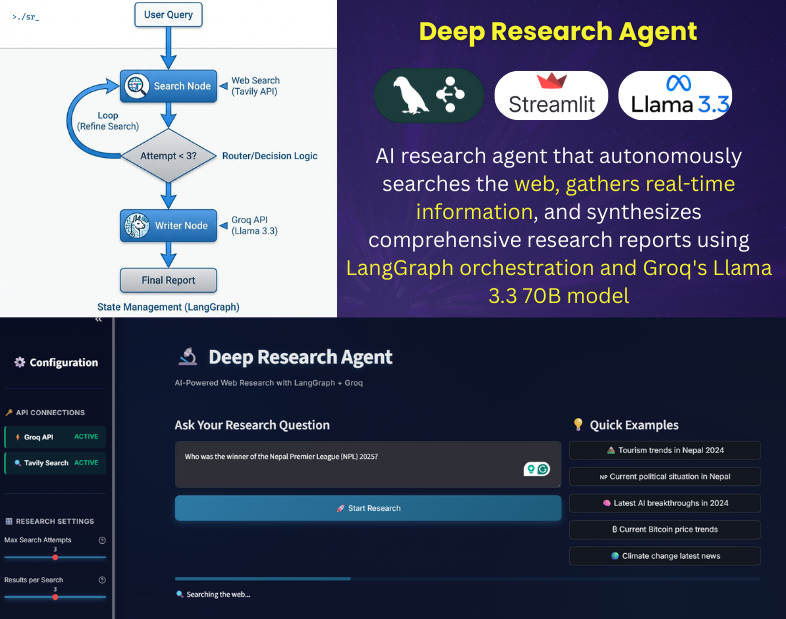
Abstract As Large Language Models (LLMs) evolve from simple text generators to reasoning engines, the focus of AI development has shifted toward agentic workflows—systems capable of autonomous planning, tool use, and self-correction. To explore the efficacy of modern orchestration frameworks, I engineered the Deep Research Agent: a fully autonomous system designed to perform iterative, multi-step research tasks. This project demonstrates a production-ready implementation of a cyclic graph architecture (LangGraph) utilizing the Groq API for high-throughput inference. The resulting system achieves professional-grade research synthesis with a marginal operating cost of $0.005 per query, proving that high-performance autonomous agents can be built cost-effectively using open-weight models. 1. System Overview: The Deep Research Agent The Deep Research Agent is not merely a wrapper for an LLM; it is a stateful application that mimics the workflow of a human analyst. Unlike zero-shot querying, this system employs an iterative “thought-loop” to refine information quality before generating a final response. Core Capabilities: 2. Technical Stack & Design Choices The architecture was chosen to maximize architectural flexibility while minimizing inference latency and operational costs. 3. Architectural Analysis: Cyclic Graph vs. Linear Chains A key engineering decision in this project was the implementation of a Cyclic Graph architecture over a traditional Linear Chain. 4. Engineering Implementation & Challenges The development process highlighted several critical aspects of building production-grade agents. A. State Management Implementation Effective state management is the backbone of any agentic system. I implemented a TypedDict structure with reducer operators to maintain context across iterations. This ensures that research findings are accumulated rather than overwritten during loops. Python B. Resilience and Error Handling To ensure robustness suitable for automated tasks, I implemented exponential backoff strategies for all external API calls. This prevents cascade failures during momentary latency spikes from search or LLM providers. Python C. Resource Optimization (Cost Analysis) A primary objective was to demonstrate the economic feasibility of running autonomous agents at scale. By optimizing the system prompt and pruning search results (limiting context window usage), the system achieves a 95% cost reduction compared to proprietary model APIs (e.g., GPT-4). Metric Standard API approach Deep Research Agent (Optimized) Cost Per Query ~$0.10 **~$0.005** Latency Variable < 3s (Inference) Architecture Black Box Open / Customizable 5. Conclusion & Future Scope This project validates that professional-grade AI agents do not require prohibitive budgets or closed ecosystems. By leveraging LangGraph for sophisticated orchestration and Groq for high-speed inference, I have engineered a system that is both autonomous and economically scalable. Future Research Directions: Repository: github.com/kazisalon/Deep-Research-Agent

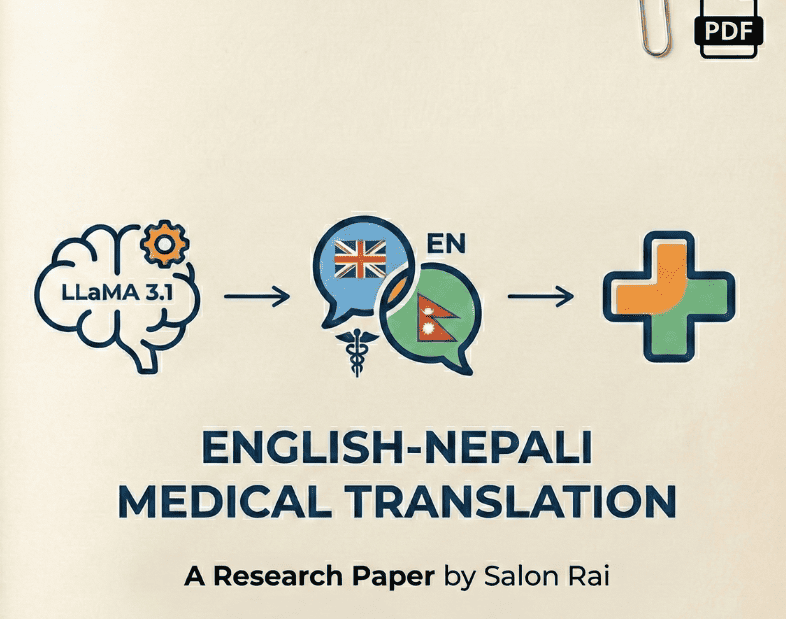
Building an AI Medical Translator for Nepali with LLaMA 3.1

nepali translation

I fine-tuned Meta’s LLaMA 3.1-8B model to translate medical text from English to Nepali, using only a free Google Colab GPU (Tesla T4). The result?An 8.9× performance improvement over zero-shot translation—turning an unusable model into something genuinely helpful for 30 million Nepali speakers. Key highlights: This is a story about access, efficiency, and why cutting-edge medical AI doesn’t have to be locked behind massive budgets. The Problem The Solution A domain-specific AI medical translator built with: This approach enables efficient training, low memory usage, and real-world deployability. How It Was Built Data Training Results Metric Zero-Shot Fine-Tuned BLEU 1.31 11.63 ChrF++ 16.35 34.65 ->Zero-shot translation was unusable.->Fine-tuning made the model practically useful. Example Translations EN: Take two tablets after meals three times daily.NE: दिनमा तीन पटक खाना पछि दुई ट्याब्लेट लिनुहोस्। ✔ Correct dosage✔ Preserved medical terminology Limitations

Understanding F1 Score in Machine Learning

f1 score machine learning

The F1 score is a crucial metric in the field of machine learning, particularly in the evaluation of classification models. It provides a balance between precision and recall, making it especially useful in scenarios where the class distribution is imbalanced. This document will delve into the definition, calculation, and significance of the F1 score, along with its applications in various domains. What is F1 Score? The F1 score is the harmonic mean of precision and recall. It is defined as follows: Where: The F1 score is then calculated using the formula: [ F1 = 2 \times \frac{\text{Precision} \times \text{Recall}}{\text{Precision} + \text{Recall}} ] Importance of F1 Score The F1 score is particularly important in the following scenarios: Applications of F1 Score The F1 score is widely used in various domains, including: Conclusion In summary, the F1 score is an essential metric in machine learning that provides a balanced measure of a model’s precision and recall. Its significance is particularly pronounced in scenarios involving imbalanced datasets and varying costs of prediction errors. Understanding and utilizing the F1 score can lead to better model evaluation and selection, ultimately enhancing the effectiveness of machine learning applications.

Livedots – Wallpaper that automatically updates every day

wallpaper livedots

In a world where time seems to slip through our fingers, Live Dots offers a unique and beautiful way to visualize your year’s progress right on your phone’s wallpaper. This innovative Android live wallpaper app turns each day of the year into a visual dot, creating a stunning calendar that automatically updates daily to keep you mindful of time’s passage. What Makes Live Dots Special? Live Dots is more than just a wallpaper—it’s a daily reminder to make every moment count. The app displays a minimalist grid of dots representing every single day of the year, with each dot telling a story about where you are in your annual journey. Automatic Daily Updates The standout feature of Live Dots is its intelligent automatic update system. Once you set your wallpaper, the app works silently in the background to refresh your wallpaper once per day at midnight. This means: The app uses Android’s WorkManager to schedule these daily updates efficiently, ensuring your calendar stays current without draining your battery or requiring constant app launches. Stunning Visual Design Minimalist Dot Grid Layout Live Dots presents your year as an elegant grid of 365 dots (or 366 for leap years), arranged in a clean 15-column by 25-row layout. Each dot represents a single day: White dots – Days you’ve already lived this year Accent-colored dot – Today (the current day) Dark gray dots – Days yet to come This simple yet powerful visualization lets you see at a glance how much of the year has passed and how many days remain. How It Works 1. Install and launch Live Dots 2.Choose your accent color from four beautiful options 3.Preview your wallpaper to see how it looks 4.Apply to home screen, lock screen, or both 5.Confirm automatic daily updates 6.Relax – Your wallpaper now updates automatically every day at midnight! The Philosophy Behind Live Dots Time is our most precious resource, yet it’s easy to lose track of days, weeks, and months. Live Dots was created to help you: –Visualize time’s passage in a tangible way –Stay present and mindful of each day –Appreciate the time you have –Motivate yourself to make each day count Every time you unlock your phone, you’ll see a beautiful reminder of where you are in your year’s journey—not to stress you out, but to inspire you to live intentionally. Conclusion Live Dots is more than a wallpaper app—it’s a daily companion that helps you stay connected to the rhythm of your year. With its automatic daily updates, stunning visual design, customizable colors, and privacy-first approach, it’s the perfect blend of beauty and functionality. Transform your phone screen into a meaningful year tracker. Download Live Dots today and make every day visible.